
Video Editing on Your Phone: CapCut Zero to Pro
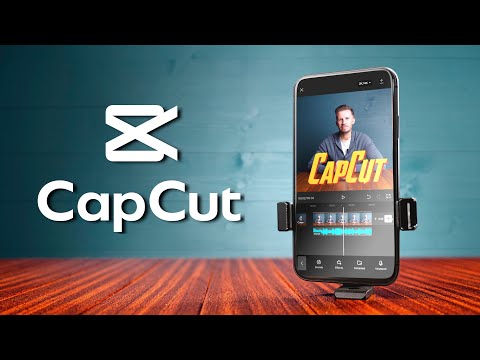
Shoot and edit professional-looking videos with only a smartphone: CapCut from first cut to keyframes, text, sound, colour and export — plus filming techniques that make phone footage look cinematic.
What you'll learn
- Edit videos in CapCut: cuts, transitions, text, captions, music and voiceover
- Animate with keyframes, overlays and masks
- Shoot steady, well-lit phone footage with clean sound
- Use the cuts professional editors use to tell a story
- Export the right format for TikTok, Reels, Shorts, YouTube and WhatsApp
- Build a portfolio and edit for clients
Course content
Part 1. Start here1 lesson
Part 2. CapCut from zero4 lessons
Part 3. Advanced editing: keyframes and motion2 lessons
Part 4. Film better footage with your phone6 lessons
- Master mobile filmmaking in 20 minutesby Tomorrows Filmmakers27 min
- 10 mobile videography tips for beginnersby Learn Online Video9 min
- Top 10 handheld smartphone camera movesby Thomas Alex Norman9 min
- Why your phone videos look flat — and 5 ways to fix itby Not Just A Filmmaker13 min
- How to shoot cinematic videos with your phone (Arthur Amadike)by Arthur Amadike Studios14 min
- The phone filmmaker's checklist
Part 5. Storytelling with cuts3 lessons
Part 6. Final project1 lesson
Capstone project: Capstone: a client-ready video and portfolio. You finish by building something real; a mentor reviews it before your certificate is issued.
About this course
You don't need a laptop to become a video editor. Brands, churches, events, small businesses and creators all need short videos — and you can make them on the phone in your pocket. This course teaches CapCut (free) from your very first edit to advanced keyframe animation, then the filmmaking side: steady shots, lighting, sound and phone camera moves that look cinematic, including a lesson from Nigerian filmmaker Arthur Amadike. You'll learn the cuts every editor uses, how to tell a story in 60 seconds, and how to export for TikTok, Reels, YouTube Shorts and WhatsApp. Finish with a portfolio of three edited videos and a client-style project. About 4 hours of video.
Learners also took
Free courses that go well with this one.
Graphic Design with Canva
Learn the principles of good design and create flyers, posts and logos — even on your phone.
Create Great Videos with Your Phone
Film, light, record clear audio, edit in CapCut and tell stories people want to watch.

UI/UX Design with Figma
Design apps and websites people love: research, wireframes and beautiful screens in Figma.

Digital Marketing Fundamentals
Grow any business online: strategy, social media, SEO, content, email, WhatsApp and ads.