
Video Editing on a Computer: DaVinci Resolve Zero to Pro
Professional editing with DaVinci Resolve — the free software used on Hollywood films: editing, motion graphics, colour grading, sound and export, plus the storytelling cuts pros use.

What you'll learn
- Organise media and edit efficiently on Resolve's Cut and Edit pages
- Use the cuts professional editors use to tell a story
- Create titles and motion graphics in Fusion
- Colour-correct and grade footage on the Color page
- Clean up and mix sound in Fairlight
- Export for YouTube, social media and clients
Course content
Part 1. Start here2 lessons
Part 2. The complete DaVinci Resolve course8 lessons
- Resolve course: What is Resolve?by Casey Faris9 min
- Resolve course: The Media Pageby Casey Faris20 min
- Resolve course: The Edit Pageby Casey Faris1h 2m
- Resolve course: The Cut Pageby Casey Faris13 min
- Resolve course: The Fusion Pageby Casey Faris1h 7m
- Edit like a pro: a quick beginner workflow (Ben Claremont)by Ben Claremont12 min
- Complete beginner tutorial for the latest DaVinci Resolve (Primal Video)by Justin Brown - Primal Video29 min
- Practice: edit a 2-minute story
Part 3. Colour, sound and delivery8 lessons
- Resolve course: The Color Pageby Casey Faris1h 27m
- Resolve course: The Fairlight Pageby Casey Faris36 min
- Resolve course: The Deliver Pageby Casey Faris13 min
- Resolve course: How to Learn Resolve the BEST WAYby Casey Faris1 min
- How to colour grade in DaVinci Resolve for beginners (Think Media)by Think Media16 min
- Colour grading tutorial, start to finish (Ben Claremont)by Ben Claremont13 min
- Colour grading for beginners (Declan Jenkinson)by Declan Jenkinson20 min
- Quiz: colour and sound
Part 4. Storytelling with cuts4 lessons
Part 5. Final project1 lesson
Capstone project: Capstone: a portfolio-quality short film or advert. You finish by building something real; a mentor reviews it before your certificate is issued.
About this course
DaVinci Resolve is free, runs on Windows, Mac and Linux, and is used to edit and colour-grade blockbuster films and Netflix series. Learn it and you can edit anything: YouTube videos, adverts, music videos, documentaries, weddings and Nollywood productions. This course follows Casey Faris's complete five-hour Resolve course, page by page — Media, Cut, Edit, Fusion (motion graphics), Color, Fairlight (sound) and Deliver — with extra lessons on colour grading from Think Media and Ben Claremont, and the cuts that turn footage into a story. You'll finish with a polished short film or advert for your portfolio. About 7 hours of video plus practice.
Learners also took
Free courses that go well with this one.
Graphic Design with Canva
Learn the principles of good design and create flyers, posts and logos — even on your phone.

UI/UX Design with Figma
Design apps and websites people love: research, wireframes and beautiful screens in Figma.
Create Great Videos with Your Phone
Film, light, record clear audio, edit in CapCut and tell stories people want to watch.
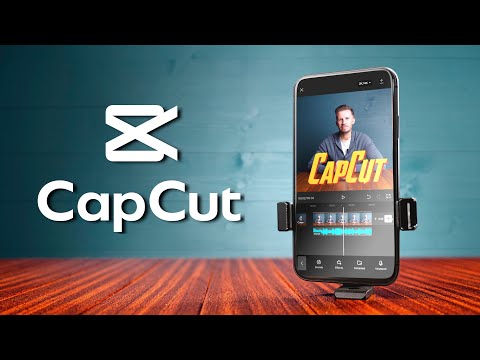
Video Editing on Your Phone: CapCut Zero to Pro
Shoot and edit professional-looking videos with only a smartphone: CapCut from first cut to keyframes, text, sound, colour and export — plus filming techniques that make phone footage look cinematic.